Email Overload: What Happened When I Checked Email Twice a Day
Honestly, I’ve had enough of emails.
Disclosure: This post contains affiliate links. If you make a purchase through these links, I may earn a small commission at no extra cost to you. Thank you for supporting my blog!
I’m not saying we should go back to the Stone Age and write letters on paper, but what currently passes for “electronic correspondence” looks a lot more like a massive, chaotic mess.
The solution isn’t to delete your email account, but rather to open your inbox less.
In this post I’m sharing what changed when I dropped to twice a day, the week that felt awful, and the slow way to get there without upsetting anyone at work.

I have a question for you: How many times have you opened your mailbox since breakfast?
I counted mine once, on an ordinary workday, and the number was 31. That was the morning I admitted that email overload wasn’t something happening to me, it was something I was doing to myself, about every 14 minutes.
My husband runs his own business, so I get to watch this from the outside too. Between sorting, deleting and answering, an hour to an hour and a half of his day disappears into the mailbox.
His phone used to buzz on every single incoming message. The noise was constant, and it didn’t seem to bother him at all. It bothered me enormously.
I had the same thing at my old job. Plenty of those emails mattered, and plenty of them could have been settled in a 90 second phone call.
More than once the sender rang me anyway to ask whether I’d seen the email they sent four minutes earlier. I think that’s nonsense, and by my own values it isn’t normal behavior.
If you only have two minutes and you don’t feel like reading the whole article right now, then pay attention, because this one thing can be enough for a while to bring your email overload down.
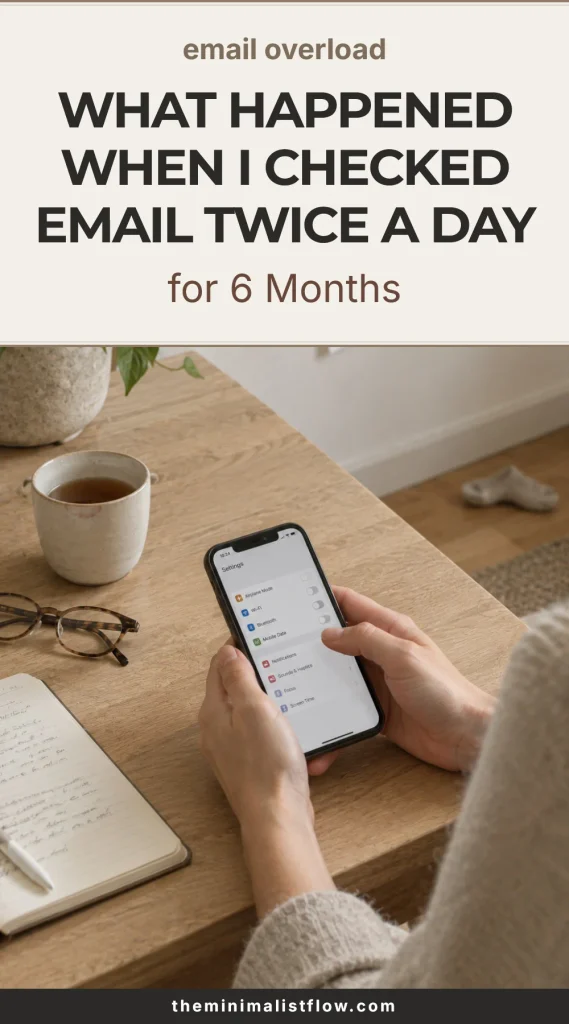
Turn off the email notification on your phone. Not the app and not the account, just the badge and the sound. Why bother? Because then the alert doesn’t pull your attention away, and you stop feeling like you have to see what just landed in your mailbox.
It takes about 20 seconds, and if you can’t find the setting, Apple has the official steps for iPhone Mail notifications.
You will find in this post:
- what actually changed in my day, at home and at work, once I stopped opening the mailbox on impulse
- the frustrating stretch in the middle, and what to do with it instead of quitting
- after that comes the slow version week by week
- the practical mechanics that keep the habit standing up on a bad week, and
- at the end of the article a saveable checklist and a long question and answer section that may hold something useful for you.
If you added up every minute you spent opening, scanning and closing your mailbox yesterday without answering a single message, what would the total be? Mine was 41 minutes, and I found that out with a kitchen timer, not an app.
What Changed After I Checked Email Twice a Day
I set two times, 11 am and 4 pm, and left the mailbox closed the rest of the day. It was far from perfect, and I didn’t build the habit from one minute to the next. There were plenty of days when I broke my own rule and opened my email far more than twice.
Here’s what’s interesting in the long run. My day changed within two weeks, and these are the things I noticed.
My mornings stopped belonging to other people
The first hour used to go like this. Coffee, phone, mailbox, and by the time I sat down to actually work, my head was already full of six other people’s priorities.
Now the first hour is mine.
Whatever I planned the night before is what happens, and I don’t let anyone else have a say in it. That hour belongs entirely to me, I need it, my peace of mind depends on it, so I take it fairly seriously.
Write your one real task on paper the night before, and don’t open the mailbox until it’s done.
This is horribly hard at first, but after a few days, maybe a few weeks, you’ll do it without thinking about it.
I answered fewer emails and nobody noticed
This is the part I still find slightly embarrassing.
The truth is, a good number of the emails I used to answer didn’t need answering at all.
When you open the mailbox 30 times, every message feels like it’s addressed to you personally and needs a reply from you right now.
When you open it twice, you read the whole stream in one go. Half of it is notifications or advertising. Some are copies where you’re the fourth name on the list. A few are things you signed up for at some point and that aren’t relevant to you any more.
I now reply to roughly a third of what I used to, and in 6 months exactly one person has mentioned it. One! Not many, let’s be honest, so I’d say that’s absolutely acceptable.
Next time you open your mailbox, mark how many messages truly need a reply from you, then get to work.
The phone stopped working as a small alarm system
I said this at the top and I’m going to say it again, because I think it’s worth making conscious. My husband’s phone alerted on every incoming email, and so did mine.
We had both quietly agreed to let strangers interrupt us all day for free, and to take our time and our energy, not deliberately of course.
Notifications off took about 20 seconds and did more than any folder system I’ve ever built.
This point matters because the rest of the list all rests on top of it.
I still keep sound on for calls and for messages from the school, my family comes first. Nothing else, and would you believe it, I haven’t missed a thing.
Settings, notifications, mail, off. You can turn it back on tomorrow if you really can’t stand it.
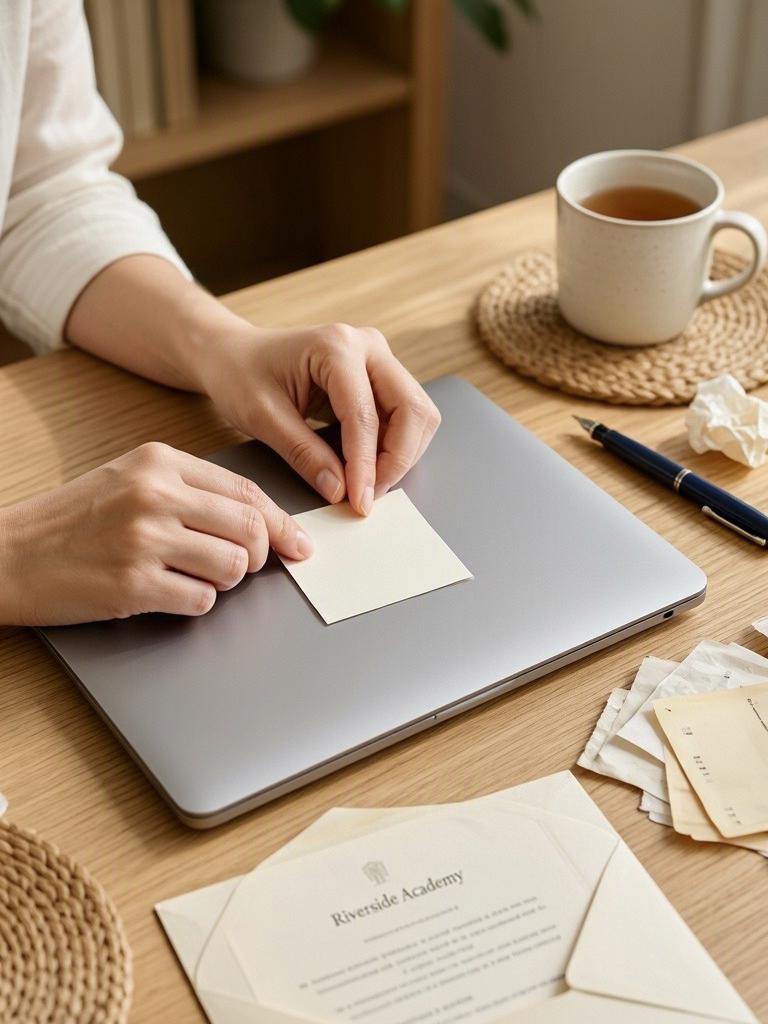
I started calling people again
This surprised me. Once I stopped looking at my mailbox all day, the pointless emails somehow became easier to spot.
You know the ones.
Four messages back and forth to agree on a time, when a phone call would have taken 40 seconds. And I used to write them too, because that was the done thing.
What a silly habit, good grief.
In my old job I had colleagues who would email a question and then call to ask what I thought of the email. It used to get on my nerves.
They weren’t really after the answer, they were looking for certainty for themselves.
If something needs more than two replies, I pick up the phone. It does feel old fashioned, but in exchange I can close things quickly, without the unnecessary rounds.
Pick one thread from this week that went past three replies and finish it with a call instead.
My work got longer and quieter
Not longer in hours, but in unbroken stretches.
Instead of six fragments of 20 minutes, I get two blocks of about 90 minutes, and the work I do inside them is a different quality altogether.
There’s real research behind why this feels so different. Professor Gloria Mark at UC Irvine ran a study with the Army where employees were cut off from email for 5 days while wearing heart rate monitors.
The people without email switched windows about 18 times an hour. The people with email switched 37 times, and stayed in what the researchers called a constant high alert state. You can read the UC Irvine write up of that study here.
Twice a day isn’t the same as 5 days off, but it moves you in the right direction, even if right now you can’t quite see why it would be good for you. You will feel the difference, I guarantee it. I’m saying this from experience, it’s worth trying, because you can only gain from it. Calm, above all.
Block 90 minutes in your calendar tomorrow with no title on it, and treat it like a dentist appointment. Work straight through and don’t look at your email.
I stopped reading the same email four times
I used to open a message, decide it was too complicated for right now, close it, and then open it again an hour later to read it.
Then again after lunch. Then again at 6 pm, tired, and of course I’d answer it badly.
Reading something four times and acting on it once is not productivity, it’s just handling.
Twice a day forces the decision, because you know you won’t be dealing with it for hours.
You’ll not only be more efficient this way, you also stop handing your nervous system the extra job, and the pointless load, of holding all those unfinished emails in mind.
Open a message once, then reply, file it or delete it before you open the next message.
The Frustrating Part Nobody Warns You About
I’d love to say the change felt lovely straight away, but that isn’t true, because it didn’t feel good at all.
The first week was genuinely uncomfortable and I nearly gave up twice.
If nobody tells you about this part, you assume you’re the one doing it wrong, but believe me, it’s normal and plenty of us go through the same stretch.
The first three days feel physically strange
There’s a small pull, every 15 minutes or so, and it doesn’t come from the work. It comes from the habit.
I noticed my hand reaching for the phone while I was making tea, or doing anything else. There was no reason for it at all, nothing was forcing me.
It’s a horrible habit and it had settled in nicely with me too. Just a quick look to see whether an email came in. Sound familiar?
The good news is that it fades, and faster than you think.
For me it was about four days, and by the second week I’d forgotten to check my email at 4 pm more than once.
Keep a paper notepad next to you and write the thought down instead of opening the mailbox, or reaching for your phone at all.
You will worry that something urgent is sitting there
This is the honest fear, and it deserves a real answer, not just a bit of encouragement.
Ask yourself what has genuinely been urgent in your mailbox in the last three months. In my whole of last year it was maybe two things, if that.
Both times the person also called, because that’s what people do when something is actually urgent. They call, they speak to you, they don’t sit writing emails.
Don’t worry, you’ll be fine.
Trust me, I spent years in an office where email was treated as a legal document, but the genuinely urgent things still arrived by phone every single time.
Write it on a sticky note: anything truly urgent will arrive by phone.
Somebody will call to ask if you got their email
This happened to me constantly at my old workplace and it used to make me want to scream into a cupboard.
Here’s the reframe that actually helped me.
That call is not your system failing, that call is your system working. If something matters to someone, believe me, they will pick up the phone instead, and it’s sorted in a couple of minutes.
You, meanwhile, don’t spend the afternoon watching the mailbox, because the thing is already done. A phone call saves you time and energy, and going back to something that has always worked isn’t a failure, however modern the world gets.
Keep one line ready: sorry, I read emails at 11 and 4, tell me now and I’ll sort it.
You’ll be tempted to make up for it at night
I did this for about a week. Two checks in the day felt so virtuous that I gave myself a third one in bed at 10 pm, which is the worst possible time to read a difficult message.
Nothing gets solved at 10 pm. You read something you can do nothing about, and it sits in your head until morning. On top of that it won’t let you sleep, so you sleep badly, or you wake in the middle of the night and the familiar spiral starts.
Why does it matter so much?
Because the night check doesn’t only ruin the evening, it ruins the next morning too. If you take one boundary from this article, make it the night one.
I wrote more about the evening side of this in how to fall asleep without screens.
Plug the phone in somewhere outside the bedroom tonight, and forget about it as far as you possibly can.
Your inbox will look worse for a while
Two checks a day means bigger piles at each check, and in week one that looks like failure.
It isn’t. You’re not measuring the pile, you’re measuring the hours between the piles.
By week 3 the pile shrinks on its own, because you stop generating replies that generate replies.
Write down how many times you opened the mailbox, not how many messages are sitting in it.
Researchers at the University of British Columbia asked 124 adults to limit email to 3 times a day for a week, then check as often as they liked the next week. Their workload didn’t change. Their daily stress did, measurably, in the low-checking week. The study is Checking Email Less Frequently Reduces Stress by Kostadin Kushlev and Elizabeth Dunn.
Count It Up
We never add this up. Each opening feels like nothing, ten seconds, maybe twenty.
So let’s do the math properly. Move the two sliders below and see what your own mailbox costs you in a day, and what you’d get back with two checks.
What your mailbox actually costs you in minutes
Reading an email takes seconds. Opening the mailbox to look at it is the part nobody counts. Move the two sliders and see your own day.
That’s more than a working week you’d get back, and you wouldn’t have to answer a single email any faster to get it.
Where the numbers come from: Litmus measured an average read time of 13.4 seconds for a single email, so 30 seconds a message allows for reading it plus a short decision or a two line reply. The minute per opening is the careful version of my own count, 41 minutes in one day spent opening and closing the mailbox without answering anything. The year assumes 240 working days, and the saving only counts the openings, because you still read the same emails either way.
How to Get to Twice a Day Without Blowing Up Your Week
Please don’t do all of this on Monday morning. I wanted to change everything at once, and of course it ended in complete failure, but I didn’t give up.
I started changing things in small steps, and that’s what I’d recommend to you too, because that’s how this new habit can actually be built.
Don’t worry about the pace: one change per week, and if a week goes badly you repeat it instead of moving on.
Week 1, turn off notifications and change nothing else
No new schedule and no new rules about when you’re allowed to look at your email. Just kill the badge, the banner and the sound.
You’ll still check constantly, and that’s fine, that’s exactly the point of week 1. But at least you no longer see or hear the email arriving, because you’ve switched it off.
That’s a step forward, however small it feels.
With most people the checking drops by itself, without any effort at all, simply because the brain learns there’s no point paying attention to it.
Do this tonight, and don’t worry about the rest of the list at all yet.
Week 2, pick your two times and write them on paper
Choose times that fit your actual life, not somebody’s productivity blog. Mine are 11 am and 4 pm. My husband’s are 9 and 3, but yours might be two completely different times.
Write them on a sticky note and put it on your screen.
Paper is harder to ignore than an app, and you can’t close it the way you close an application.
You’ll miss the times. Aim for hitting them 3 days out of 5 and call that a good week.
Choose your two times now, before you keep reading.
Week 3, add one extra line to your signature
This removes about 80 percent of the social friction, and it really is a one minute job.
Mine says: I check email at 11 am and 4 pm. If it’s urgent, please call.
It might sound strange to you, but people adjust almost immediately. A few will even say they wish they could do the same. I think they’re secretly a little envious that they didn’t think of it first.
Nobody has ever been annoyed about it, which honestly shocked me, because I’d spent months assuming they’d be angry with me.
Copy that sentence into your signature, change the times, done in one minute.
Week 4, move one conversation to a phone call
Pick the email thread that’s already gone past three replies but is clearly going nowhere.
The point isn’t to become a phone person, the point is to feel how quickly a call ends something that would have taken far longer over email.
After a few of these you’ll spot them fairly quickly, sometimes before you’ve written the first reply.
Look at your sent folder, find the longest thread of the week, and call that person. Close the whole thing as fast as you can.
Week 5, protect the first hour
By now the whole system has settled into a shape you can follow, and perhaps it doesn’t weigh on you as much any more. It’s time to put something better in the place of those wretched emails.
For me it’s the 5 to 6 am slot, when the house is still quiet and my children aren’t up yet. I read, or meditate, or just sit in the quiet.
Sometimes, if I feel like it, I work in that hour, on this blog for example. Then I do the one piece of work that actually moves things forward, and it’s usually finished before the school run.
This is the week where the change has settled in naturally and you stop resisting it.
It’s the same idea I wrote about in 11 quiet habits that slow down time.
Practical Tips That Make This System Actually Work
This is the part I’d tell a friend over coffee, after she’d agreed with every word and then, of course, changed nothing.
1. Sort before you read
Open the mailbox and answer nothing for the first 3 minutes. Just move things.
Delete, archive, and put the rest into three places: reply today, reply this week, read later. Then start answering from the top of the first pile.
Reading and deciding at the same time is what makes a mailbox feel endless.
2. Keep replies to four lines
A long email invites a long reply, which invites another long reply, and there you have it, that endless email stream again.
Four or five lines is polite, complete and closes the loop. If your answer needs more than that, it’s a signal it needs a call or a document.
3. Kill the newsletters properly
Unsubscribing takes 10 seconds and I still put it off for years.
Now I unsubscribe from one newsletter at every single check, no exceptions. It’s a strict rule for me, I don’t bend it, and it’s far less of a burden than setting aside separate time for it.
Better still, send the ones you genuinely want to a separate address you open on Sunday. Your working mailbox should hold work, not shopping.
4. Decide what breaks the rule before it happens
You need exceptions or the whole thing collapses the first time something real happens.
Mine are simple. School, family, and a few clients who have told me something is time critical. Everything else waits.
If you write these exceptions down in advance, you don’t start negotiating with yourself, because you know exactly where you stand.
Rules like this don’t restrict you, quite the opposite, they protect you from spiralling into pointless overthinking and bad decisions.
5. Give the batch a hard stop
Set a timer for 25 minutes and stop when it goes.
Whatever is left waits for the second check. I think this is the hardest part, but you have to put a frame around it too, otherwise it really never ends.
Without a stop, the 11 am check quietly becomes 11 am until lunch. That happened to me often, and afterwards I was always furious with myself.
So now I’m brutally strict about this rule: what’s done is done, what isn’t waits for the next round.

The mistakes worth avoiding
- Buying a solution. A new mail app doesn’t make your inbox slower, it just moves the same 200 messages behind a nicer font.
- Turning it into a project. No tracker, no printable, no elaborate folder tree. If you see it as a project you’ll give up quickly, so don’t build one.
- Announcing it to everybody at once. Do it quietly, put the line in your signature, see the week 3 task, and let people notice on their own.
- Checking on the weekend. This one ruins not only the weekend but the Monday that follows, because you read something you can do nothing about for 40 hours. It’s grim to even think about, and I’m fairly sure none of us enjoys suffering for no reason.
Set a kitchen timer for 4 minutes and open your mailbox. Reply to nothing. Just delete and unsubscribe until the timer goes. Most people clear 30 to 60 messages this way, and their mailbox looks survivable for the first time in months.
Nobody Says About Email Overload
My opinion won’t make me popular here, and that’s fine.
I think the problem was never the volume of email. It was that I had decided that if I wanted to do my job properly, I had to get the email under control.
At least here in Hungary, where I live, that’s very much how it works.
In a lot of workplaces here email is still treated as a kind of sacred cow, something you’re supposed to deal with almost immediately. That’s nonsense, of course, and I honestly hope it changes soon, here and in your country too.
So I understand the fear.
I lived with it for years, and it took me a while to find a solution I could accept and actually build into the way I work.
I got the order wrong, though.
I tried to fix the system before I fixed the notifications, so I built folders and filters and rules while my phone was still buzzing every four minutes.
That’s like tidying a room while somebody is painting the walls. Silly.
I also assumed I was unusual. I wasn’t.
McKinsey put it at 28% of the workweek spent managing email for the average interaction worker, in their report The social economy.
More than a day a week, gone into the mailbox. That’s a terrible amount, and nobody has the time or the energy for it.
And Professor Gloria Mark, who has spent nearly 2 decades measuring what happens to our attention at work, found that the average time we now hold attention on a screen is around 47 seconds.
She writes about it on her Attention Span page, and it’s worth 10 minutes of your evening.
Here’s the part that still bothers me though.
Nobody ever asked me to be available every 14 minutes. I volunteered.
Nobody sent me a policy and no manager ever said the words. I decided it on my own, somewhere around 2011, and then spent a decade defending a rule that didn’t exist.
Three Small Things That Helped
I’m not big on buying solutions to behavior problems, and 2 of these 3 you probably own already. It’s time to actually use them.
1.) Visual timer
The kind with a red disc that shrinks as time passes. It’s for the 25 minute batch, and seeing time disappear works on me in a way a phone timer never has. Visual timers
2.) Paper notepad
For the thoughts that arrive while the mailbox is closed. Write it, forget it, deal with it at 4 pm. Mine is a plain A5 pad, and it’s better than any phone app I’ve tried. Simple desk notepads
3.) Phone box with a timer lock
This one is a bit extreme and I only use it on deadline days.
Honestly, I resisted buying it for a year because it felt like admitting defeat. That was silly, because it works beautifully, drastic as it is. Timed phone lock boxes
Email Overload: The Questions Readers Actually Ask
How many times a day should I actually check my email?
Two or three checks a day is where most people land, and the research points the same way. The University of British Columbia study used 3 times a day and still found lower daily stress. Start with 3 if twice feels frightening, then drop to 2 once you’ve seen that the world keeps turning without you.
What if my boss expects an instant reply?
If your boss expects instant replies, the honest move is to ask what the real expectation is rather than guessing at it. Most people discover the expectation was never stated, it was assumed. Propose a response window of a few hours, put it in your signature, and say clearly that anything urgent should come by phone.
Does checking email less actually reduce stress or does it just delay it?
Checking email less genuinely reduces stress rather than postponing it, at least in the one controlled study that tested it directly. Kushlev and Dunn found the same 124 people reported lower daily stress in their low-checking week, with no change in workload. The email still arrived. The difference was how often they interrupted themselves to look at it.
I work in customer service, is this even possible for me?
Twice a day email is not realistic in a role where response time is the actual product, and pretending otherwise would be silly. What does work is batching within a shorter cycle, for example every 45 minutes instead of continuously, plus turning off the badge so you go to the mailbox rather than it coming to you.
How do I stop reaching for my phone out of habit?
The habit fades in roughly 3 to 5 days once notifications are off, which is much faster than most people expect. Give your hand a replacement in the meantime, a paper notepad works well. The reaching isn’t really about email, it’s about the small gap between two tasks, so fill the gap with something dull and physical.
What do I do with the huge pile that builds up between checks?
A big pile at each check is normal and it shrinks by itself after about 3 weeks. Sort before you read, which means moving everything into reply today, reply this week and read later before you answer a single message. The pile feels enormous because it’s undecided, not because it’s large.
Is inbox zero the goal here?
Inbox zero is not the goal, and chasing it usually makes email overload worse. The goal is fewer openings, not an empty screen. A mailbox with 40 sorted messages you’ve decided about is calmer than an empty one you emptied by opening it 30 times.
Will people think I’m unresponsive or rude?
Almost nobody reads a stated response window as rude, and in my experience the reaction is usually mild envy. The rudeness people actually notice is a slow, distracted, half-thought reply, which is exactly what constant checking produces. A clear line in your signature does more for your reputation than speed does.
How is this different from just being disciplined about my phone?
Checking email twice a day is a schedule, while phone discipline is a mood, and schedules survive bad weeks. You’re not asking yourself to resist all day, you’re deciding once and then following the decision. That’s why the signature line and the sticky note matter more than motivation does.
Can this work if I’m at home and it’s mostly school emails?
School and family email works well on a twice a day rhythm, usually one check after drop off and one in the early evening. The volume is lower but the anxiety is often higher, because it’s about our children. Keep the school’s phone number where you can find it and let the rest wait for the check.
Recommended Reading
Slow Living in Fall and Winter
11 Quiet Habits That Slow Down Time
Six Months Later, What I Actually Kept
What I notice most isn’t the time I got back. It’s that my attention is mine again, and I hadn’t realized how much of it I’d handed over to other people, or to things that didn’t move me forward at all.
What else happened? The email didn’t stop, the spam still comes, the meetings didn’t get shorter, and the school still sends me three messages about the same trip.
I still slip too. Last Thursday I checked something at 8 am for no reason at all. Well, so what. I dealt with that too. Nobody died, everyone got on with their day, and the earth kept turning on its axis.
Has anything actually changed? You’re right to ask. Quite a lot, and my family noticed it before I did.
The system is what holds it all together, the one I’ve laid out for you in this article. It isn’t complicated, but yes, you do have to do it.
A firm decision, a strict system, and it’s worth it, because it works. Two checks a day, the pointless time thieves cut out, and a whole hour in the morning that you spend on whatever you choose.
Try it for two weeks, keep what works and let the rest go.
So here’s my question for you. If you got back the 40 minutes you spend opening and closing your mailbox without answering anything, what would you actually do with them?
Recommended Posts
-
Almond Nails: 17 Elegant Designs to Screenshot for Your Nail Tech
In this post I’ll show you 17 almond nails that stay simple, elegant and easy to explain at the salon, with the exact words to tell your nail tech. You’ll also find 4 color pairs for a minimalist wardrobe, a short aftercare routine and a checklist for your next appointment.
-
14 Last Minute Homemade Christmas Gift Ideas You Can Make Tonight
In this post I’ll show you 14 homemade christmas gift ideas you can still make in the last days before Christmas, sorted by the time you have, from 15 minutes to one evening. You’ll also find who gets which gift, wrapping pairs that make a jar look finished, what to write on the tag and…
-
Why Do I Always Want to Buy Something? 9 Common Triggers
Why do I always want to buy something, even when nothing is missing? These 9 triggers explain where the urge starts, and each one comes with a small swap and a 10-minute script for the moment it hits.